Actionable Visitor CRM
Your event generates thousands of data points every single hour. We capture, organize, and clean that data so you can actually understand your audience and prove real ROI to your sponsors.
The Black Hole of Event Data
Think about how much data you actually collect during a three-day trade show. People buy tickets online. They check in at the front gate. They walk into different speaker sessions. They drop their business cards into glass fishbowls at sponsor booths.
The problem is that all this information usually lives in five different places. You have an Excel sheet for ticket sales. You have a printed list for check-ins. And your sponsors go home with a rubber band wrapped around a stack of physical business cards. Half of those cards get lost in their luggage, and the other half take a week to type into a computer. By the time the sponsor finally sends a follow-up email to that lead, the lead has already forgotten who they are.
When data is messy, it becomes completely useless. If you can't tell your title sponsor exactly how many marketing directors walked past their booth on day two, it makes it very hard to ask them for a bigger check next year. We built the iFlow CRM to act as a giant vacuum that sucks up all this scattered data and puts it into one clean dashboard.
Building the Unified Attendee Profile
With SmartEvent, every single person who buys a ticket gets a unique profile in your background system. But it is not just a static profile with their name and email address. It is a living timeline of their entire event journey.
Let's say an attendee named Priya registers for your tech summit. The CRM logs her payment. On the day of the event, when she scans her QR code at the main entrance at 9:15 AM, that gets added to her timeline. When she scans into the "AI in Healthcare" breakout session at 11:00 AM, that gets added too.
By the end of the event, you don't just have Priya's email address. You have a deep understanding of her behavior. You know exactly what topics she cares about based on the rooms she sat in. When your marketing team runs an email campaign next month selling tickets for a specialized AI workshop, you know exactly who to send it to. You stop sending generic spam emails to your entire list, and you start sending highly targeted messages based on verified behavior.
Exhibitor Lead Retrieval (That Actually Works)
If you are running an expo in India, your exhibitors are there for one reason. They want sales leads. If you make it hard for them to collect leads, they will not come back.
Most big agencies rent out clunky barcode scanner guns to exhibitors for hundreds of dollars a day. The exhibitors hate carrying them around, and they constantly break. We completely threw out that old model.
Instead, we give your sponsors and exhibitors a secure login to the iFlow Lead Retrieval app on their own mobile phones. When an attendee walks up to their booth, the exhibitor just opens the app and scans the QR code printed on the attendee's badge. Instantly, the attendee's verified contact details pop up on the exhibitor's phone.
But we took it a step further. The exhibitor can type a quick note directly into the app right there, like "Wants a software demo next Tuesday" or "High priority buyer." At the end of the day, the exhibitor hits one button and exports a perfectly clean, formatted Excel spreadsheet of every single person they talked to, complete with their personal notes. They can hand that list to their sales team before they even leave the venue parking lot.
Proving Real ROI to Your Stakeholders
When the event is over and the venue is empty, your job as the organizer is not done. You have to sit in a boardroom and prove to your management or your investors that the event was worth the money.
"It looked really crowded" is not a good enough answer anymore. You need hard numbers.
The iFlow analytics engine automatically generates beautiful, easy-to-read reports. You can show your boss exactly what the peak check-in time was. You can show them a pie chart breaking down the audience by job title or industry sector. You can tell them exactly how many people registered but did not show up (the drop-off rate). You get to walk into that wrap-up meeting looking incredibly professional and backed by data that nobody can argue with.
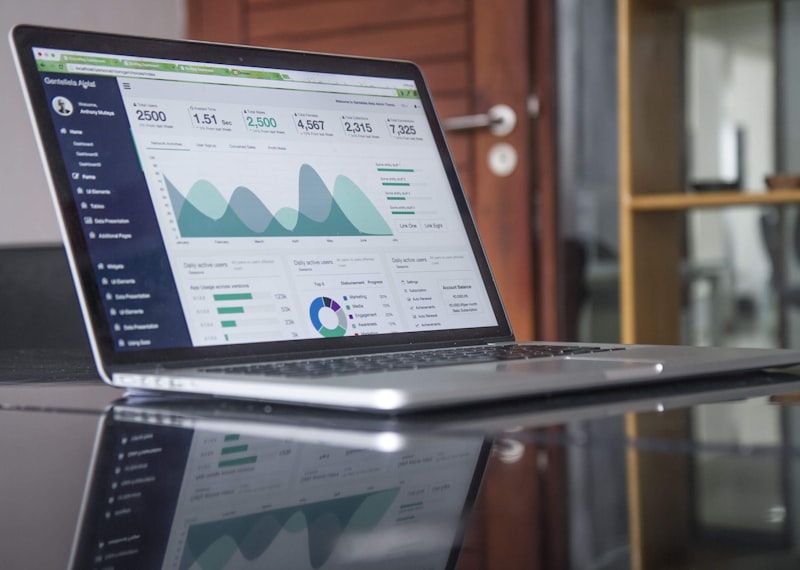
Clean Event Data
Turn raw scans into clear attendee profiles and charts.
CRM Highlights
- Unified timeline for every attendee
- Mobile lead retrieval for sponsors
- One-click Excel data exports
- Audience segmentation by job title
- No shows and drop-off rate tracking
Tired of messy spreadsheets?
Let us show you what a real event dashboard looks like.
Book a Live DemoCommon Questions About The CRM
Everything you need to know about managing your event data safely.
Can I export my data to Salesforce or HubSpot?
Yes. We know that event data is only useful if your sales team can actually use it. You can export all your attendee profiles, lead scans, and behavioral data into clean CSV or Excel files with one click. From there, you can easily upload it directly into Salesforce, HubSpot, Zoho, or whatever marketing software your company currently uses.
Do my sponsors have to pay extra for the scanning app?
That is entirely up to you. As the event organizer, you own the platform for the duration of the event. Many of our clients actually use the lead retrieval feature to make extra money. They will offer a basic booth package, and then charge sponsors an extra fee for access to the mobile lead scanning app. It is a great way to increase your event revenue.
How do you handle privacy when sponsors scan badges?
Privacy is a huge deal, especially with corporate clients. When an attendee buys a ticket on your registration page, they agree to your specific terms regarding data sharing. When an exhibitor scans their badge on the floor, the app only shows the professional data the attendee agreed to share (usually Name, Company, Job Title, and Work Email). It keeps everything compliant and professional.
What if an attendee refuses to let a sponsor scan their badge?
Then the sponsor cannot get their data. It is that simple. The beauty of the QR code system is that it requires active consent. The attendee physically has to hold up their badge and let the sponsor point a camera at it. If they don't want to talk to that specific vendor, they just walk away. It stops aggressive salespeople from just grabbing names off a list.
Can I see exactly who registered but didn't show up?
Yes, and this is one of the most useful reports we generate. After the gates close, your dashboard will show a "No Show" list. This allows your team to send a specific email to those people the next day saying, "We missed you at the event, here is a link to the keynote video recording." It helps you maintain a good relationship even with the people who couldn't make the drive.